Stop sending people to a Join button.
servr.gg shows the whole community, live on one page: your Discord, your Minecraft server, your TeamSpeak.
A Discord invite, a Minecraft address or a FiveM link, and the page below becomes yours. Or try or .


servr
Stop sending people to a Join button. This is our own page, made in servr with the same widgets, themes and effects yours gets.
Right now
- Members
22 - In voice
00
What servr is
A Discord invite shows a name and a Join button. servr gives your community a page that shows what it actually is: who is online, who is in voice, what you announced, and every server you play on, live.
Discord, Minecraft (Java and Bedrock), TeamSpeak, FiveM, RedM and Steam games, side by side on one page, each with a way in. Paste an invite or an address and it is there.
The short version
- Your page
- Free, at a link of its own
- Your name
- servr.gg/yourname with Pro, £4/mo
- Platforms
- Discord, Minecraft, TeamSpeak, FiveM, Steam
- Updates
- Live, from the servers themselves
Every server.
One page.
Your Discord, your Minecraft server, your TeamSpeak, FiveM and Steam servers, live side by side with a way into each. Add one by its address and it shows straight away.
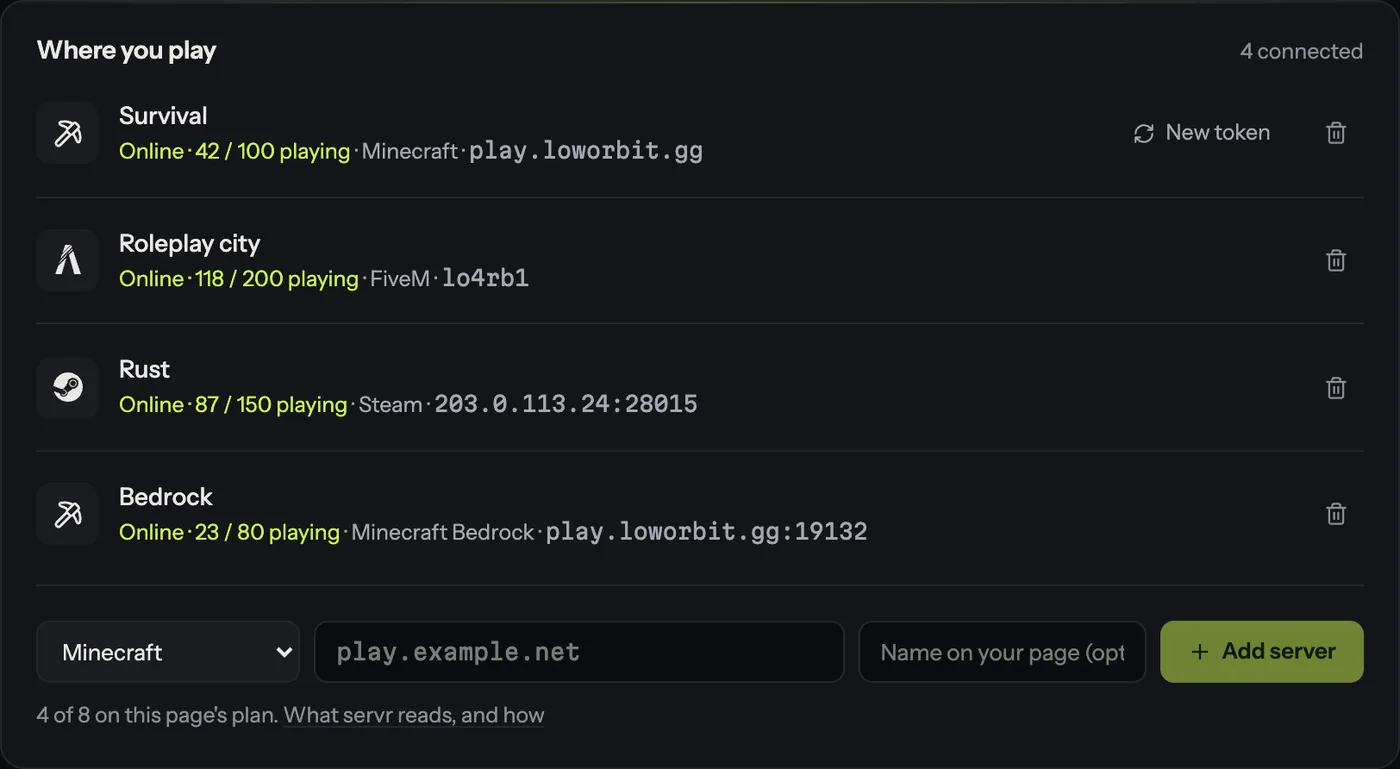
Live.
Not a screenshot.
Someone joins the Minecraft server or drops into voice, and the page says so. Post an announcement and it is already there, at 3am, a month after you last opened the editor.
Right now
- Members
22 - In voice
00 - Boosts
- Level 0 · 0
Make it look
like yours.
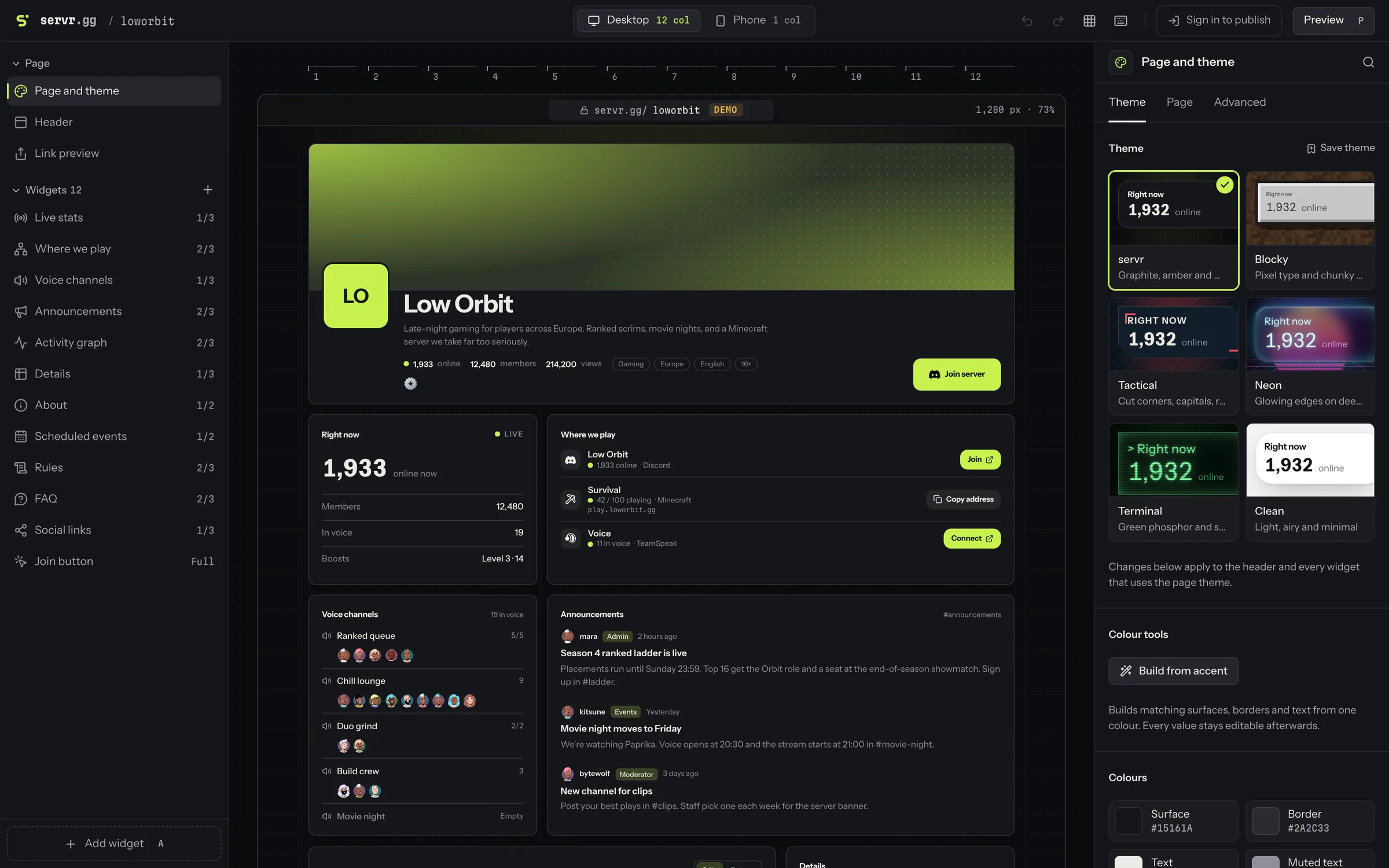
Drag widgets into place, pick a theme, change its colours and fonts. Every widget and every theme, on every plan, free included.
See which post
brought them.
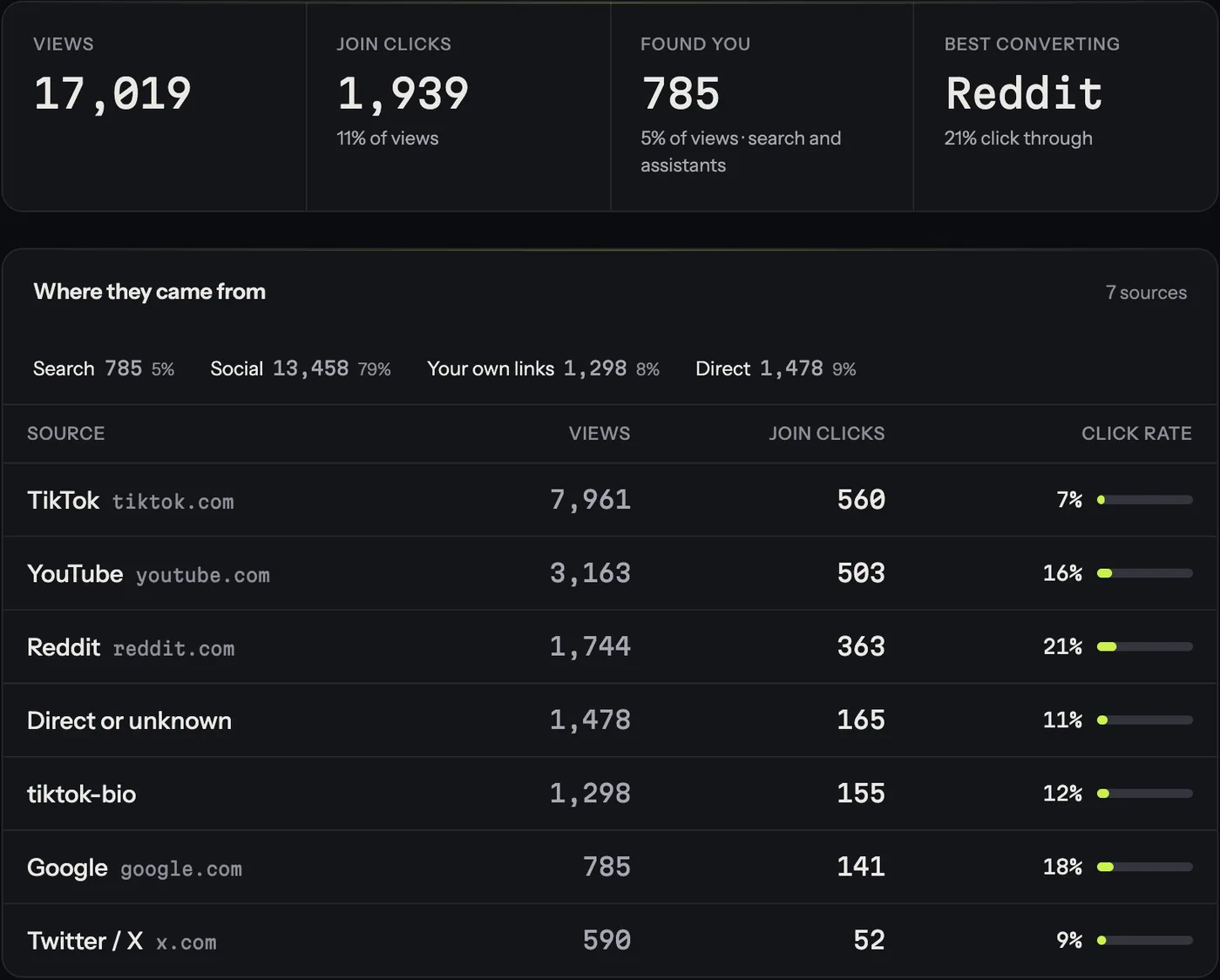
servr tags every link you share and counts who opened the page and who pressed Join. With a Discord server, it checks a week later who stayed.
Your community deserves
better than a Join button.
Live in about a minute, free, at a link of its own. Your server’s name is Pro — see if it’s open.